Domain Setup
Now that you have at least one email from your sending domain analyzed by the system, it's time to setup that domain within the Domain settings section. Complete as many of the steps as possible for full visibility into your deliverability. They have been organised in order of importance, but do not have to be completed in order, and can be worked-on concurrently.
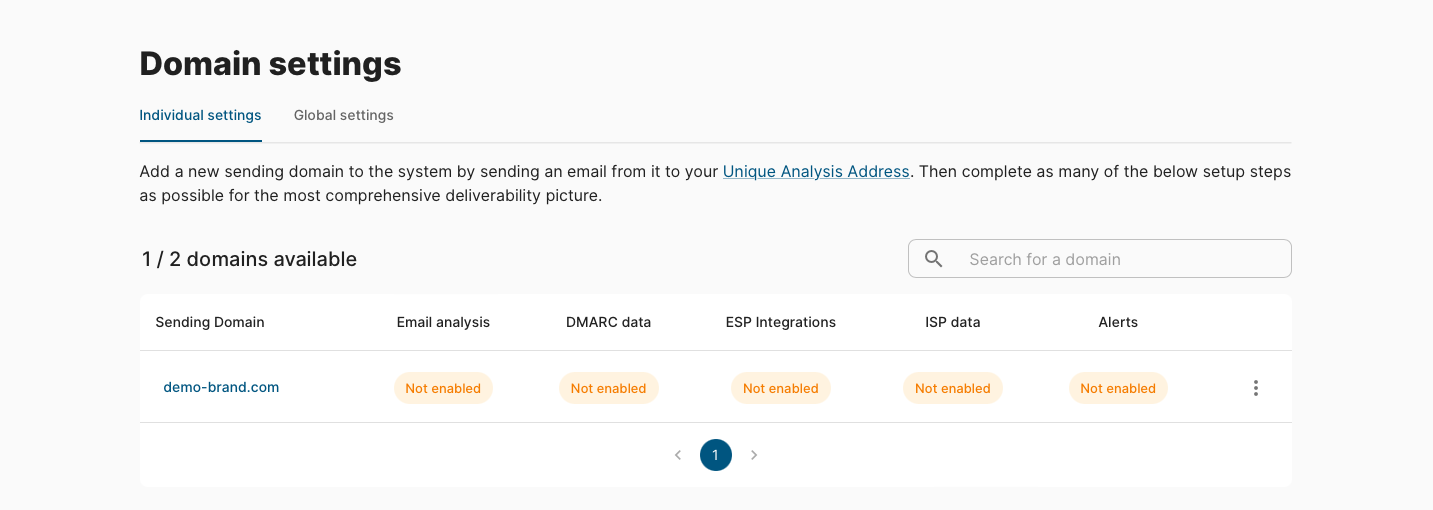
Email analysis
A deliverability analysis has been performed on an email from this domain already, but you will need to let the system know a couple of things to improve that analysis over time. This also allows the system to provide deliverability benchmarks for your industry and region so you can compare your scores.
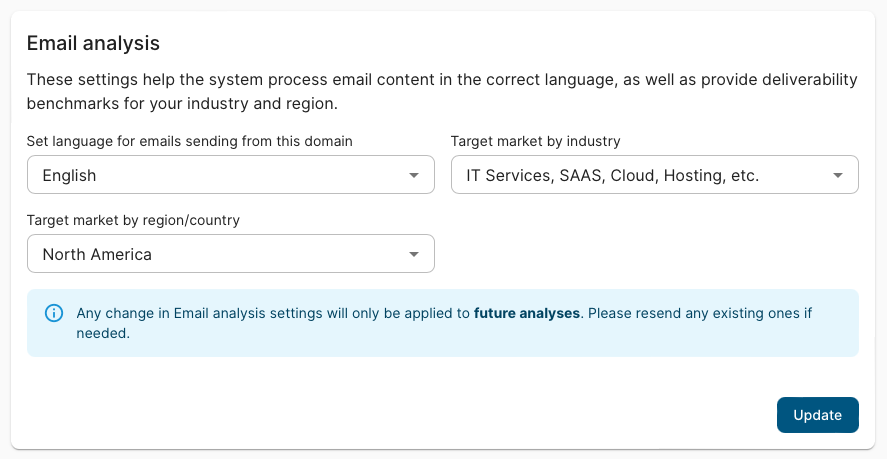
Add a DMARC record
DMARC is an email authentication method that prevents spoofing of your emails. However, its reporting function can also show you all the sending activity from your domain - incredibly useful information for deliverability purposes.
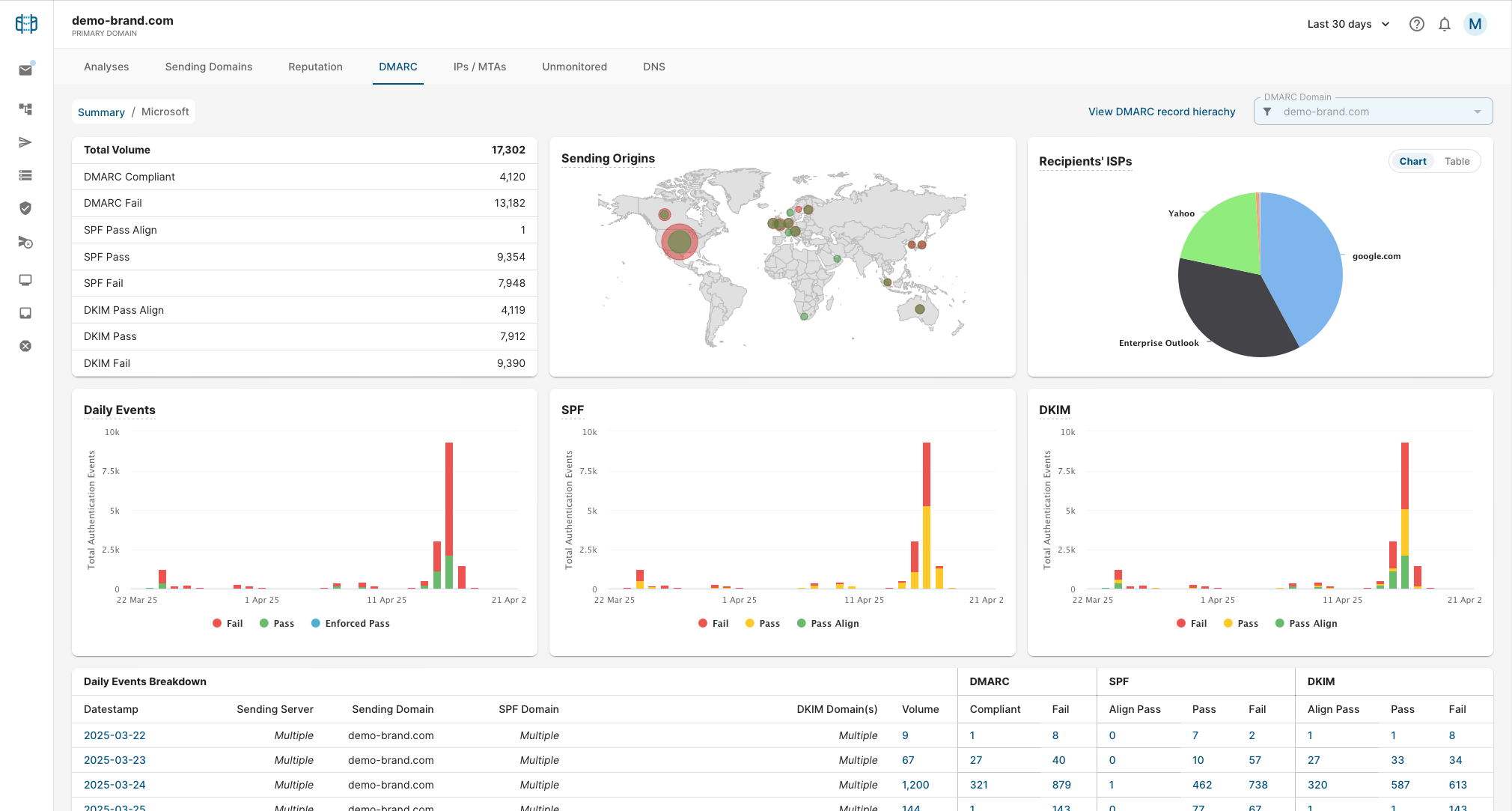
Adding a SendForensics DMARC record enables these analytics in the DMARC dashboard revealing which systems are sending from your domain, from where, and whether they are authenticted or not. They can then be added to the platform for optimization and monitoring.
If you haven't implemented DMARC:
How do I add a DMARC record to my domain?
If you have an existing DMARC record:
How do I update an existing DMARC record for SendForensics processing?
If you are not sure either way:
Clicking through on 'Not enabled' for the DMARC data step will show you whether a record is present or not (the DMARC section of an email analysis will also tell you whether one is present or not).
Connect your ESP(s)
Connecting your email service provider (ESP) adds engagement data to your Reputation dashboard for analysis. Use this to be made aware of problematic bounce, unsubscribe and complaint rates, as well as to compare other engagement metrics (like open and click rates) with your deliverability metrics.
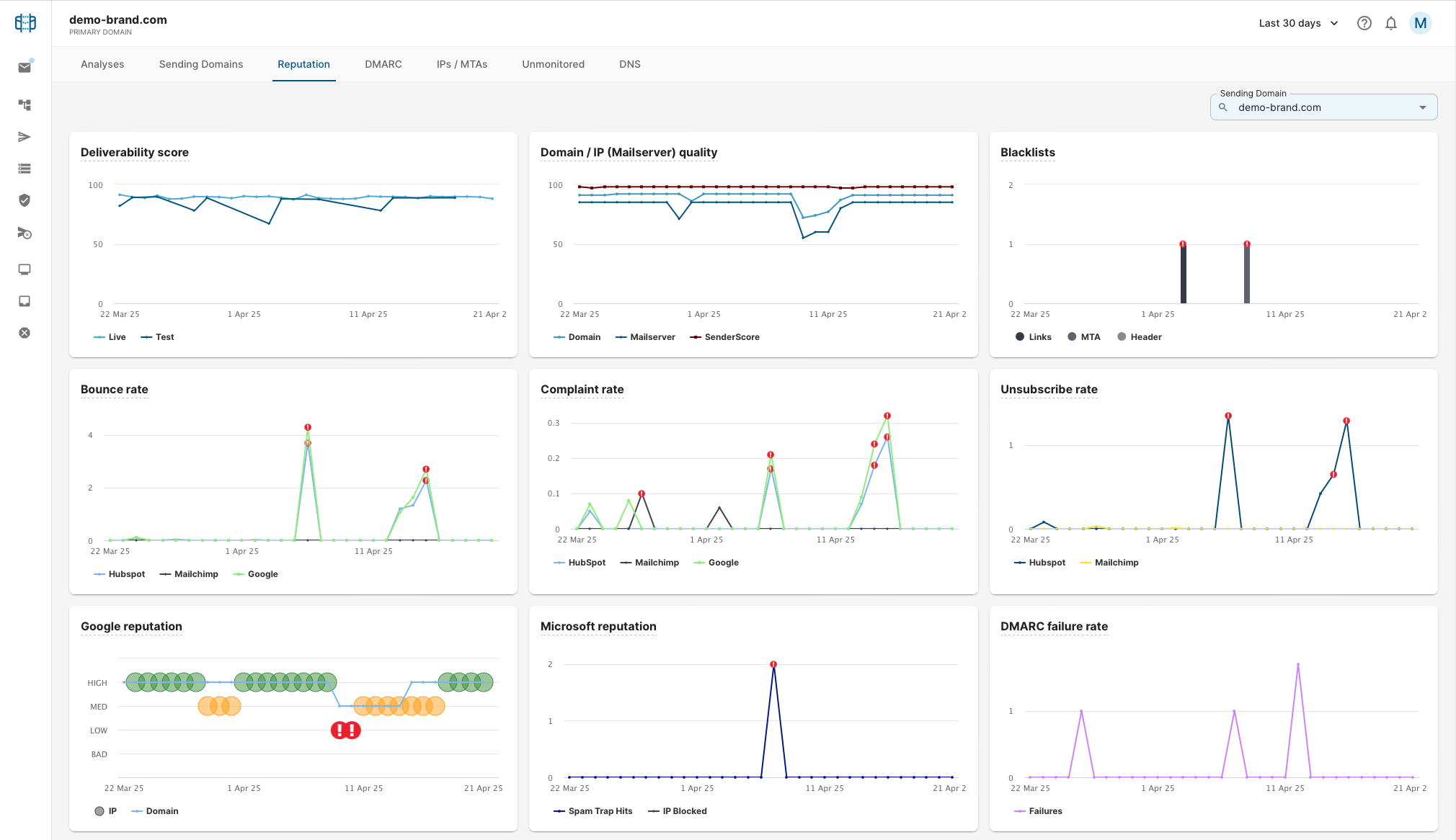
Certain ESP integrations also provide the automated daily/weekly triggering of email templates from transactional or marketing-automation flows, for continuous automated deliverability monitoring.
We also provide integrations for monitoring and optimizing deliverability for your Microsoft 365 and/or Google Workspace business correspondence channels, which is important if they share your domain for sending. There are also generic SMTP connections and auto-response options for custom triggering.
Multiple ESP integrations can be implemented on one sending domain if you have more than one ESP sending from it. For individual setup instructions, see each ESPs respective integration guide.
Connect ISP data
SendForensics offers direct integrations with Google Postmaster Tools and Microsoft SNDS, providing insights into your reputation from both of these major email ecosystems.
We recommend setting up the integration with Google Postmaster Tools as a minimum for the valuable email performance and domain reputation information it can provide.
The Microsoft SNDS integration is only available if you are sending from dedicated/fixed IP addresses, so may not be available to you.
Set up monitoring alerts
Responding quickly is critical for deliverability. Getting spoofed or blacklisted might mean more emails going to spam. A DMARC configuration issue might cause servers to reject all emails. A high complaint rate can lead to severe throttling.
SendForensics can send you alerts for these and more, by email, Slack or webhook.
To set up an alert:
- Click on your user menu, then select Domain settings.
- Click on the Global Settings tab (can also be set for each specific domain).
- Scroll down to the Alerts section and enter an email address to receive the alerts (or Slack channel / webhook URL).
- Use the toggle button to choose when and how you want to receive alerts.
- Click on Update.
What next?
Congratulations! You will now have greater visibility into your email sending behavior as the data starts to pour in. Start exploring your data to see where potential deliverability issues are, or continue to our full usage guides.