Generic Auto-response Setup & Usage Guide
- Introduction
- Activate the Generic Auto-response integration within SendForensics
- Enjoy using the new workflow!
1. Introduction
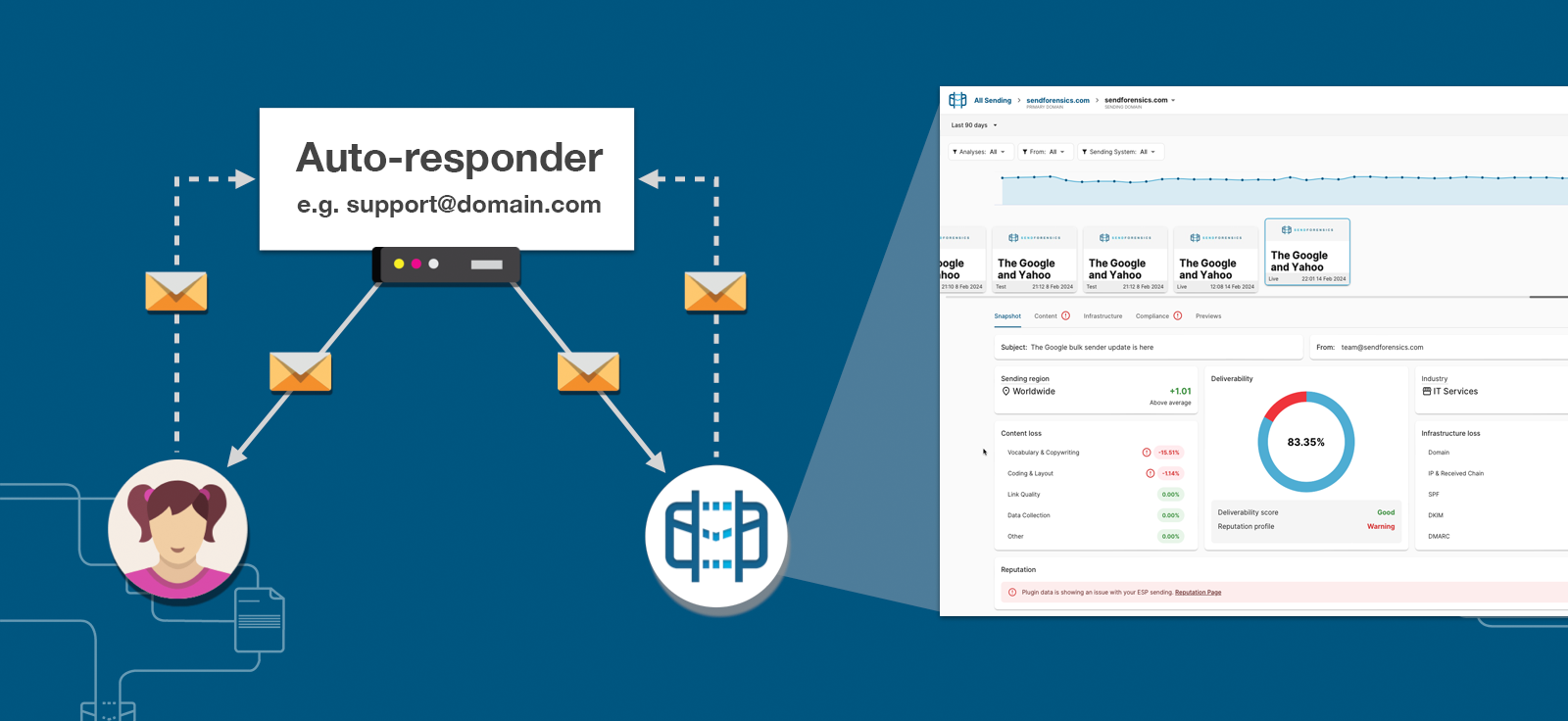
If you are using a sending-system that only sends emails in automatic repsonse to first receiving an email, then this 'integration' can be used to automatically trigger and then analyse and monitor those generated emails.
In this way, the SendForensics system can become another recipient of the emails sent in the same way as any other customer, and therefore be able to analyze their deliverability properly:
2. Activate the Generic Auto-response integration within SendForensics
To activate the Generic Auto-response integration, you simply need to login to your SendForensics account, visit the Domain Settings page. Click on the desired domain, go to "ESP Integrations", then "Add integration" and select "Generic Auto-response".
Specify the email address that you wish the SendForensics system to send to, then press return to save, which will automatically send a test (you can try additional tests using the "Send test" button).
Once the response email has been sent from your auto-responder and been received by the SendForensics system, you should get a new message notification from the envelope icon on the top right of the screen. Click this to view the analysis.
If you are happy with the test send, then simply select the sending frequency (daily or weekly) and an email will be automatically sent to the auto-responder for analysis either daily or weekly.
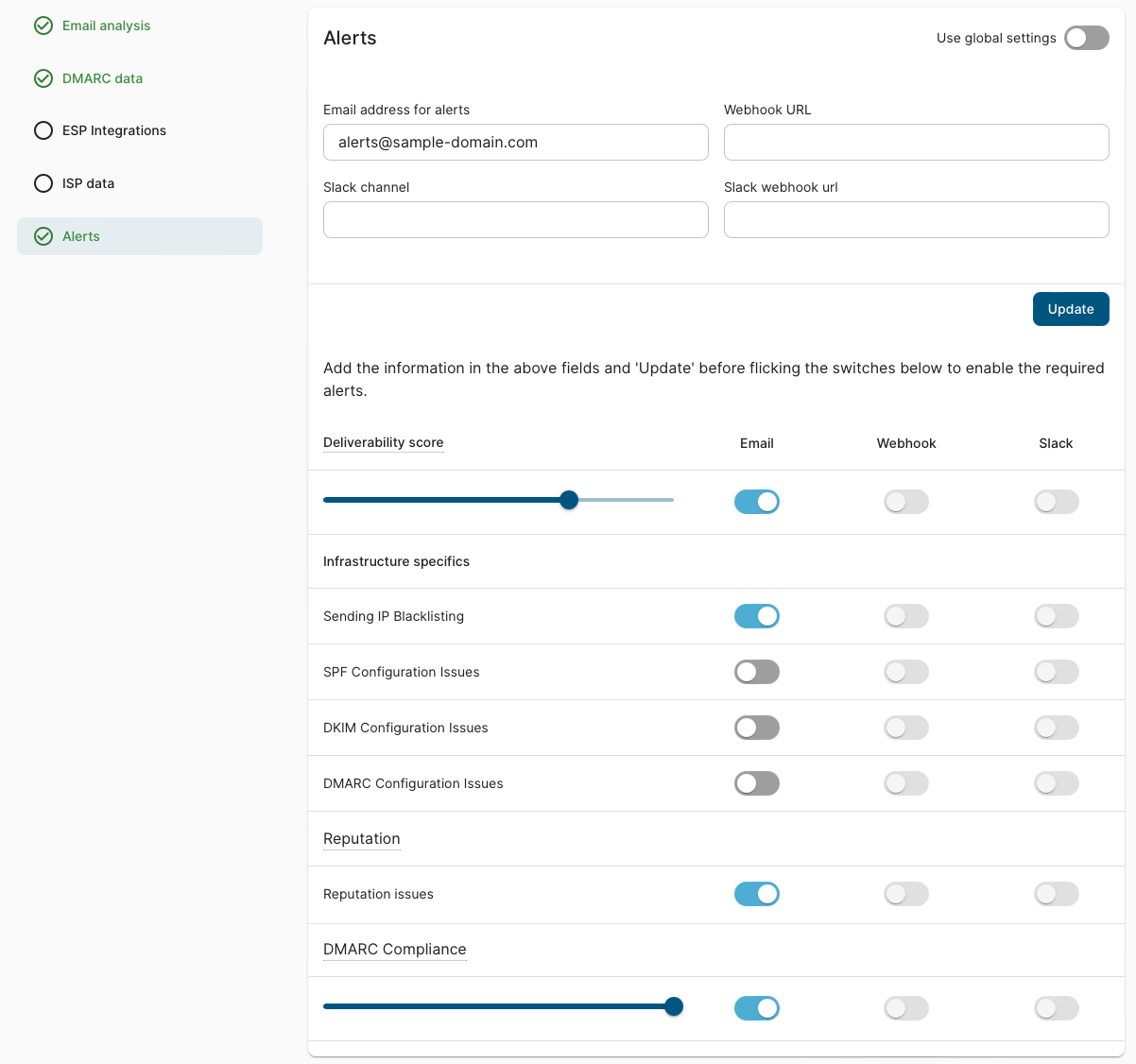
Set Alerts
Set automated alerts based on the results of the analyses of these emails received. These can be set either per sending-domain or globally on the Domain Settings page, and will make sure you know immediately if there is a problem with this sending channel:
3. Enjoy using the new workflow!
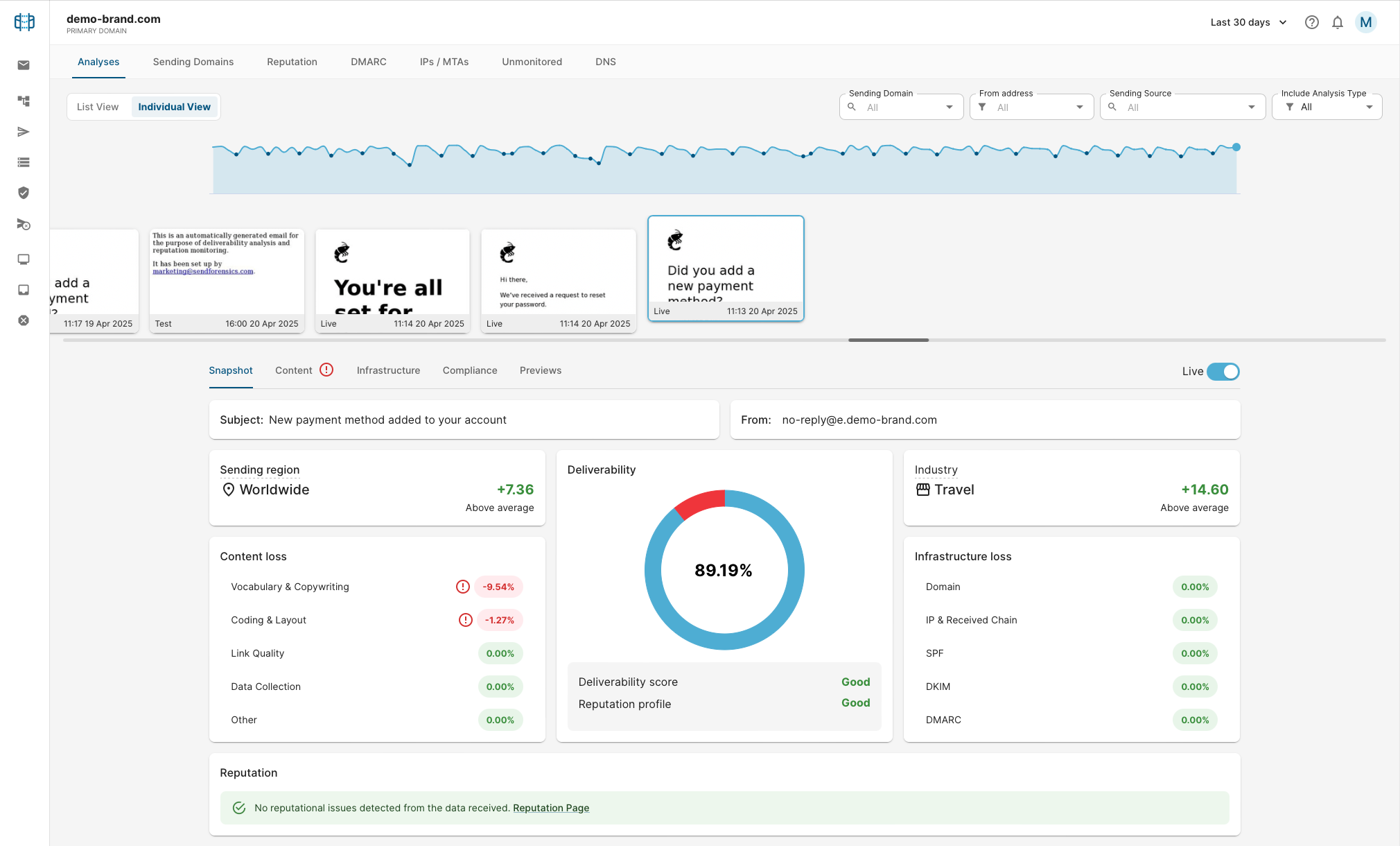
Once the automated triggering has been set up you should be able to see a regular flow of these messages being received by the platform for analysis and monitoring:
Some suggested actions for maintaining effective deliverability for these streams are as follows:
- Improve the analysed emails' Deliverability Scores where lacking. Cycle through the tabs (Content, Infrastructure etc) following the advice and recommendations to optimize the deliverability of your email as much as possible, manually re-testing as necessary. When you have reached a comfortable deliverability score (vs amount of work needed to improve it further), monitor over time to make sure it remains there.
- Respond to any warnings/alerts triggered by the analyses of these emails either from within the dashboard or those set up by email/slack/webhook.